Superlist's paid plans cost $59 or $199 a year per person. Before you pick one, check three things: what the Free plan stops you from doing, how fast a team bill grows, and why a search for "Superlist Pro" turns up prices that don't match anything on Superlist's own site.
Checked on 21 November 2026 against superlist.com/pricing and Superlist's help center.
The short answer
Superlist has three plans: Free, Basic and Super. Free costs nothing and is listed as "Free forever." Basic and Super are billed per person, and teams can also contact Superlist about a custom plan. AI features come only with the paid plans.
Superlist plans and prices
| Plan | Annual billing | Per month on annual billing | AI |
|---|---|---|---|
| Free | $0 | $0 | Not listed |
| Basic | $59 per person per year | $5 (works out to about $4.92) | Voice input (Talk AI) |
| Super | $199 per person per year | $17 (works out to about $16.58) | Meeting notes, AI chat, email and Slack summaries, Make AI |
The pricing page shows only the annual figures, with a "-20%" label on the yearly option, and prints no monthly price. Superlist's help article on plans, which carries no date, puts monthly billing at $6 for Basic and $19 for Super. If those numbers hold, a full year of monthly payments comes to $72 for Basic ($13 more than annual) and $228 for Super ($29 more). The price on the checkout screen is the one that counts.
What the Free plan gives you
On Free you get:
- 5 private lists and 5 shared lists
- Unlimited tasks and notes
- 25 MB per file and 500 MB of storage in total
- Up to 5 people on a shared list
- Recurring tasks and reminders
- Apps for macOS, iOS, Android and the web
No AI features are listed on Free.
The list count is an easy limit to reach. Ten lists sounds like plenty until you make one per project and one per client. For a small team, the 5-person cap on shared lists matters more: if a sixth person needs the same list, someone has to pay.
What Basic and Super add
Basic removes the list limits (unlimited lists, sublists and shared lists) and raises file uploads to 100 MB each, with 25 GB of storage. It adds integrations with Gmail, Google Calendar, Slack, Linear, GitHub and email forwarding, plus voice input with Talk AI. The help article caps a shared list at 25 members on Basic, while the pricing page says "unlimited team members." We couldn't confirm a team-wide ceiling either way, so ask Superlist before a large rollout.
Super includes everything in Basic. On top of that you get unlimited AI meeting notes and summaries, unlimited AI chat with your meeting notes, AI that turns email and Slack threads into task summaries, and Make AI generation.
Meeting notes and AI chat are the main reasons to pick Super over Basic.
What a team pays
Nothing gets cheaper as you add people. On annual billing:
| Team size | Basic per year | Super per year |
|---|---|---|
| 3 people | $177 | $597 |
| 5 people | $295 | $995 |
| 10 people | $590 | $1,990 |
Each figure is the published per-person price multiplied by the number of members; the arithmetic is ours. The help center has one team rule worth knowing: if someone already pays for a personal plan and joins a paid team plan, their personal subscription is cancelled and they get a prorated refund for the remaining time.
Why other sites show different prices
Other sites may show different figures and a plan called Pro. One reason is that Pro was Superlist's earlier paid plan. It cost $15 a month or $149 a year and came with capped AI: 30 meetings or 15 hours of meeting notes a month, and 15 AI chat messages a day. It is closed to new buyers. Other sites may still describe it, and the App Store's in-app purchase list still shows Pro next to Basic and Super.
The pricing page and the help article also differ on monthly billing. When sources disagree, go to superlist.com/pricing and trust the checkout screen.
Where you pay
On the web, Superlist takes credit cards, PayPal and iDEAL. If you upgrade from inside the iOS or Android app, the charge goes through the Apple App Store or Google Play instead. Superlist doesn't publish a general refund policy; the only written refund rule is the prorated one for people who join a paid team. We also couldn't verify a free trial length or a student discount, so don't plan around either.
Where Vyneron fits
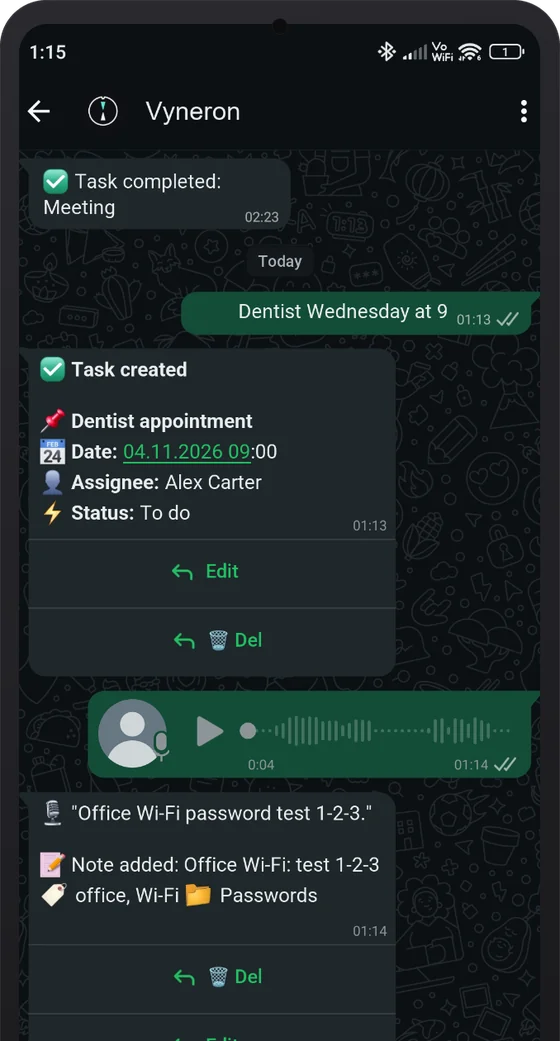
Vyneron is a task, note and routine app. It has no AI meeting notes and no Gmail, Google Calendar, Linear or GitHub integrations, so if those are why you're looking at Superlist, stay with Superlist. Vyneron bills differently and lets you add tasks from chat apps. The Free plan has no time limit and starts with a 7-day trial (no card, 50 AI messages a day). After the trial, tasks, notes and routines stay free, and reminders still reach you on Telegram, Slack and phone push.
- Solo: $6 a month or $59 a year, with 150 AI messages a day.
- Multi: one flat price for a range of people instead of a per-person price. A team of 4 to 6 pays $199 a year. For comparison only, 5 people on Superlist Basic pay $295 a year. The products do different things, so this shows the billing model, not a winner.
- Capture: text, voice notes or photos sent to @VyneronAIBot on Telegram become tasks.
If you're comparing more than two tools, see our pricing breakdowns of Todoist, TickTick and Notion.
FAQ
Is Superlist free?
Yes. Free costs $0 and is listed as "Free forever," with unlimited tasks and notes, 5 private and 5 shared lists and 500 MB of storage. AI is not included.
Is Superlist Pro the same as Super?
No. Pro was the older paid plan at $15 a month or $149 a year, with capped AI, and it is closed to new buyers. Super is the current top plan at $199 per person per year, with unlimited AI meeting notes and AI chat.
How much does Superlist cost for a team?
Paid plans are per person, so multiply. On annual billing, 5 people pay $295 a year on Basic or $995 a year on Super. Teams that need something custom can contact Superlist.
Can I pay through the App Store or Google Play?
Yes, if you upgrade inside the mobile app. On the web you can pay by credit card, PayPal or iDEAL.